-

通过http头设置http缓存
日期:通过nginx可以设置http缓存 location ~* \.(js|css|gif|jpeg|jpg|png|ico|bmp)$ { expires 7d; access_log off; break;} 用Chrome浏览器测试确实有缓存了,但是F5刷新接收到304之后还是会下载内容(和Ctrl+F5不同,Ctrl+F5会强制清除缓存并获取新内容,因为F...
-
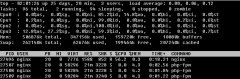
nginx 绑定worker进程和cpu
日期:worker_processes 可以设置nginx 使用的核心数,worker_cpu_affinity 选项可以绑定worker进程和CPU,这个配置项仅适用于linux。我vps上有4个逻辑核心,我开了一个worker进程,将CPU3绑定给worker进程。 worker_proceses 1;worker_cpu_affinity 1000; 登陆另...
-

-
nginx常用配置
日期:server { listen 80; server_name afreelyrics.com www.afreelyrics.com; #host跳转到主域名 if ($host != afreelyrics.com) { rewrite ^(.*) http://afreelyrics.com$1 permanent; } access_log /var/log/nginx/afreelyrics.com/access.log; error_log /var/...
-
Nginx反向代理一般化配置
日期:server { listen 80; server_name www.it.net.cn; location / { return 404; proxy_pass http://127.0.0.1:81; proxy_set_header Host $host; proxy_set_header X-Real-IP $remote_addr; proxy_set_header X-Forwarded-Proto https; proxy_set_header X-Forwa...
-
-
nginx 1.9.14 发布
日期:nginx 1.9.14 发布了。 主要改进如下: *) Feature: OpenSSL 1.1.0 compatibility. *) Feature: the proxy_request_buffering, fastcgi_request_buffering, scgi_request_buffering, and uwsgi_request_buffering directives now work with HTTP/2. *) Bugfi...
-
linux 删除tomcat 及应用日志脚本
日期:新建delete_log.sh文件。 内容如下: #!/bin/sh rm -rf /usr/local/tomcat7/logs/*.txt rm -rf /usr/local/tomcat7/logs/*.log cat /usr/local/tomcat7/logs/catalina.out find /web/log-sys/ -mtime +2 -name *.log -exec rm -rf {} \; 命令详解 find目录-m...
-
HttpStubStatusModule
日期:Synopsis This module provides the ability to get some status from nginx. This module is not compiled by default and must be specified using the --with-http_stub_status_module argument to configure when compiling Nginx. Example: location /n...
-
Linux下Nginx+Tomcat整合的安装与配置
日期:一、安装Tomcat和JDK 1、上传apache-tomcat-6.0.18.tar.gz和jdk-6u12-linux-i586.bin至/usr/local 2、执行如下命令安装tomcat: #cd /usr/local #tar zxvf apache-tomcat- 6.0 . 18 .tar.gz 解压完成后将apache-tomcat-6.0.18重命名为tomcat 3、执行如下命令...